Drafts, previewing, and publishing
How drafts work and what happens when you hit publish.
Qbit separates editing from going live, so you can work on a page in complete safety - even while people are scanning their way onto the current version.
How drafts work
Every edit you make saves automatically into a draft (watch the "Saved" indicator above the preview - there's no save button to remember). The published page keeps showing the last version you published, untouched, until you decide otherwise.
The status you'll see on the Qbits list (the editor shows the same badge beside the page title, where a live page reads Published):
- Draft - never published yet; the page isn't live.
- Live - published, with no pending edits.
- Unpublished changes - published, but the draft has moved on. Time to review and publish.
Previewing
Two ways to see the draft as visitors would:
- The phone-frame preview beside the editor, which refreshes on every save.
- The Preview button beside the page title, which opens the draft full-screen in a new tab - worth doing on your actual phone before big launches.
Publishing
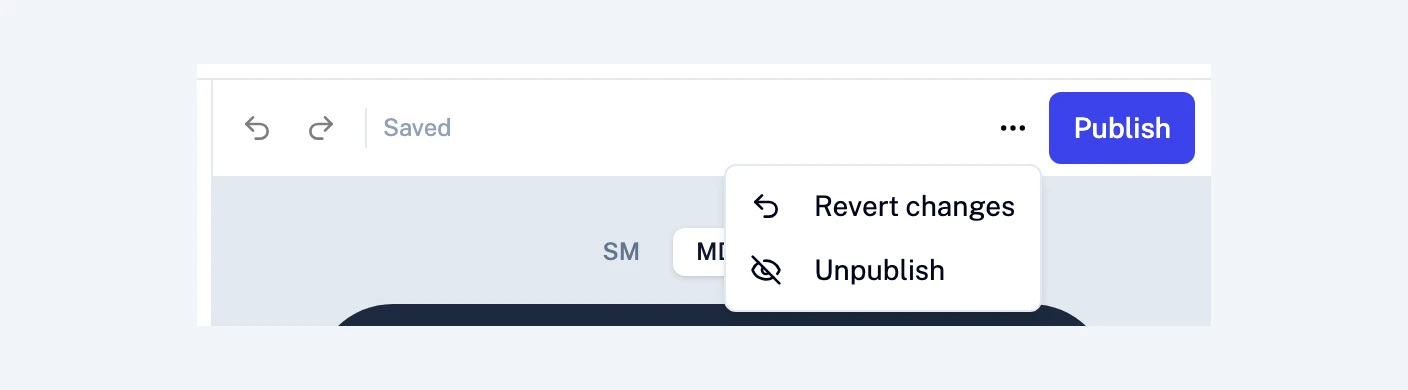
When the draft is ready, click Publish above the preview. The live page updates immediately, everywhere - including for every QR code pointing at it. The button only lights up when there's actually something new to publish.
Changed your mind?
To undo a recent edit, use Undo above the preview.
To throw away the whole draft, open the More actions menu (⋯) beside Publish and choose Revert changes. It restores the last published version. Not sure what you'd be losing? The confirmation has a Compare changes link that opens the published and draft versions side by side.
To take a page offline, choose Unpublish from the same menu. Its address and QR codes show an empty page until you publish again, and your content stays in the editor as a draft.
The rhythm to build
- Edit freely - it's only a draft.
- Preview on a phone.
- Publish when it's right.
This is also what makes mid-service menu changes and live campaign updates stress-free: the public never sees a half-finished page.
Still stuck? Email support@qbit.codes.